
Every currency, one clear balance
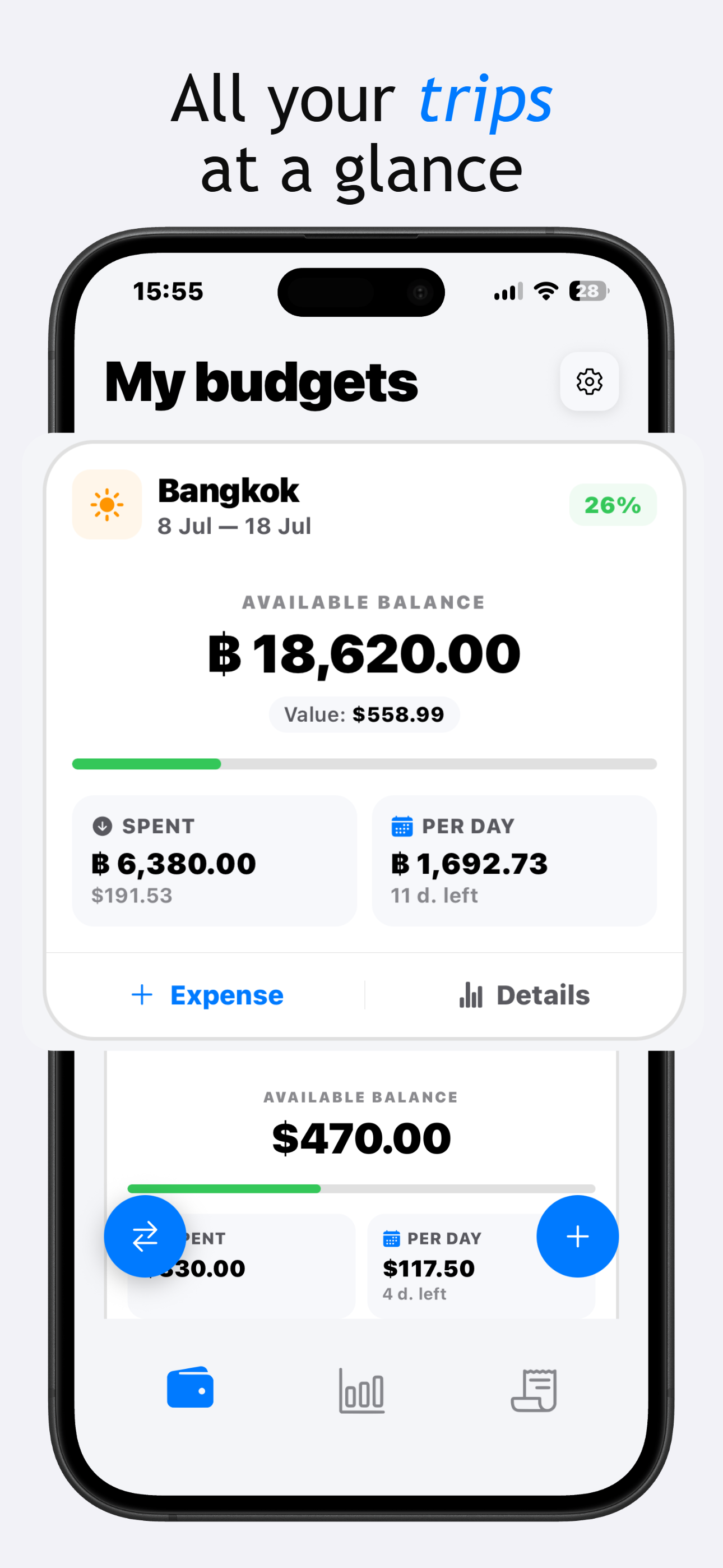
Set a trip budget, log expenses in the local currency, and TravelBudget converts everything back to a single number you can actually read.
Download on the App StoreBuilt for the way spending actually happens on the road
Prices arrive in yen, euros, pesos, sometimes three currencies in the same afternoon. TravelBudget keeps a single running total in your home currency, updated the moment you log a purchase: no manual conversion, no spreadsheet, no account to set up first.
Getting started
Set your trip budget
Choose a total and your home currency. Everything else is tracked against it automatically.
Log expenses as you go
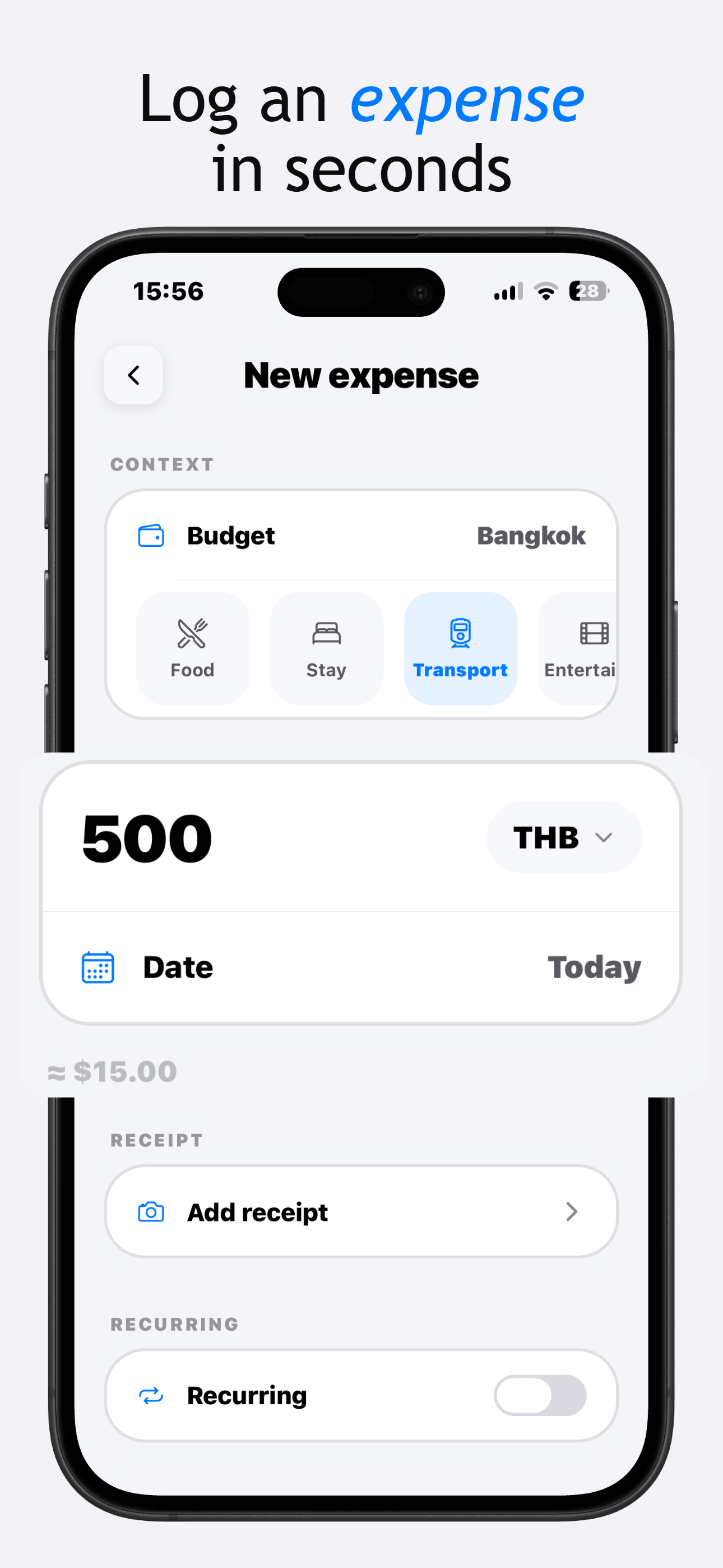
Category, amount, local currency: logged in a few seconds, converted instantly.
Watch the balance move
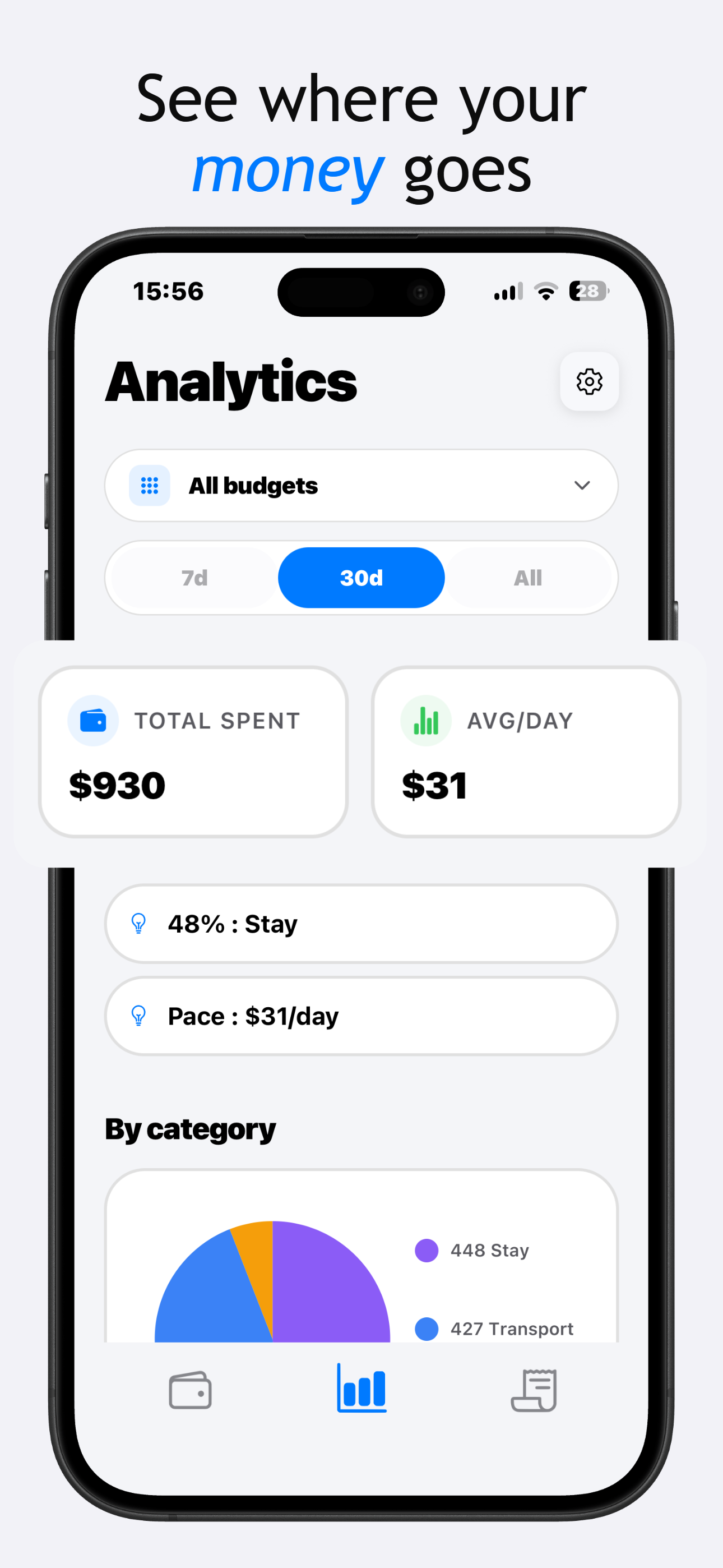
Remaining budget, daily pace, and category breakdowns update the moment you add an entry.
What's inside
Multi-currency by default
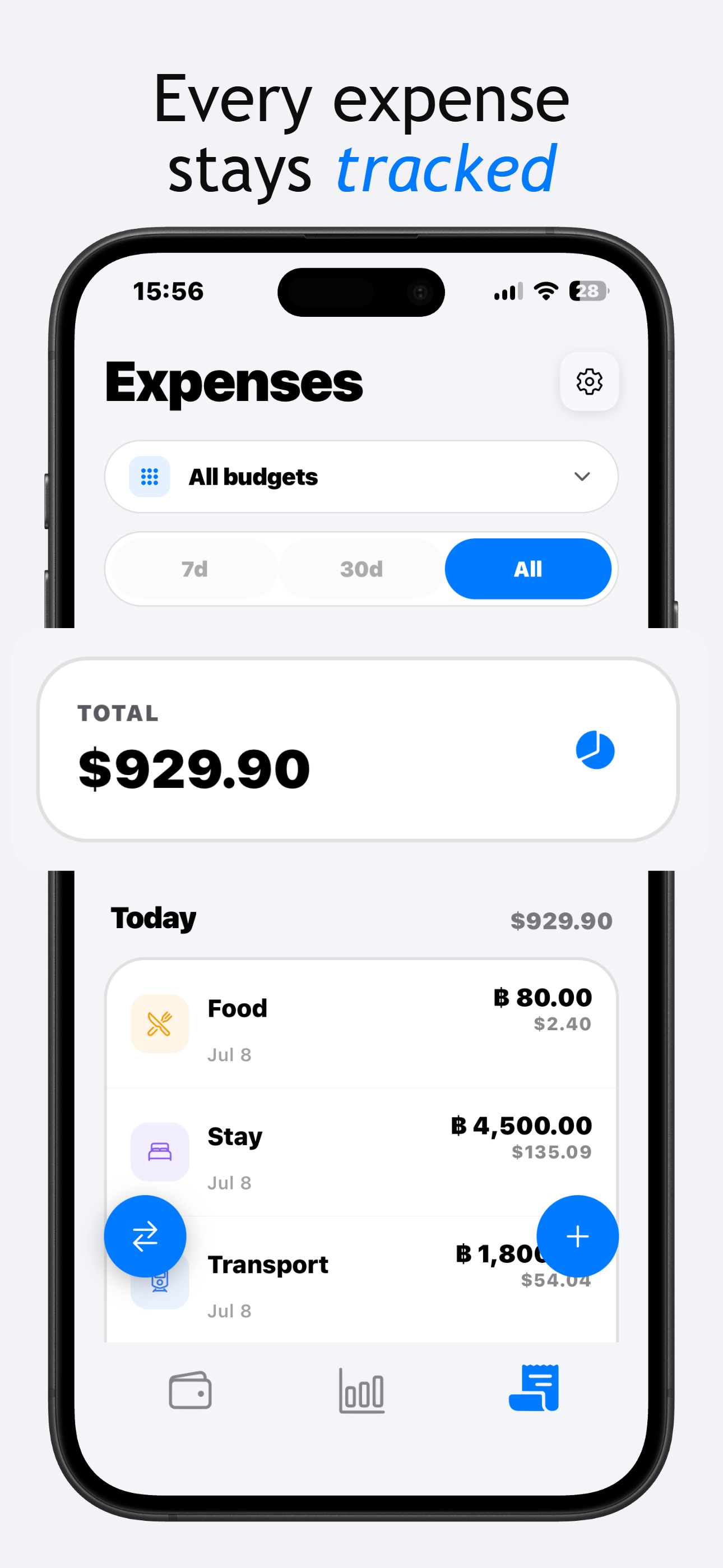
Log an expense in any currency; it converts to your home currency automatically.
Real-time balance
Remaining budget and daily spending rate update instantly with every entry.
Category breakdowns
See spending by food, transport, lodging, and activities to spot where the budget is going.
Trip templates
Start from presets for Japan, a European road trip, or Southeast Asia with suggested categories.
Receipt capture
Photograph receipts for reference. Everything stays stored locally on your device.
Fully offline
Works with no signal, at the border, or mid-flight. No cloud sync required.
See it in action
Frequently Asked Questions
How do I estimate a travel budget before a trip?
A common approach is to break your trip into categories, accommodation, food, transport, activities, and estimate a daily cost per category based on your destination and travel style. TravelBudget's templates give you a starting point per destination that you can adjust based on your own plans.
Do I need to create an account to use TravelBudget?
No. TravelBudget works fully without an account. All your trip and expense data stays on your device.
How does multi-currency tracking work?
When you log an expense in a foreign currency, TravelBudget converts it automatically into your chosen reference currency using cached exchange rates, so your running total always reflects a single, consistent view of your budget.
Does TravelBudget work without an internet connection abroad?
Yes. Exchange rates are cached the last time you had a connection, and all core features, logging expenses, viewing your budget, work fully offline.
Can I split an expense between multiple travelers?
Yes, you can add participants to an expense and split it evenly or by custom amounts, without any of them needing an account.
Is my financial data stored in the cloud?
No. TravelBudget stores everything locally on your device. There is no account, sync, or cloud backend involved.
What if my trip has no fixed end date?
You can still track a budget without an end date, though features based on daily averages will adjust or hide depending on whether an end date is set.
Who it's for
- Solo travelers tracking spend across countries and currencies
- Backpackers keeping a long trip on budget
- Digital nomads managing a monthly budget across borders
- Frequent travelers comparing spend across separate trips
Why TravelBudget
- No account or signup required
- Free to use, or a one-time Pro unlock, never a subscription
- No ads or tracking inside the app
- About 30 MB, opens instantly
Rated 5.0 on the App Store.
Download TravelBudget